

In this article
What if a text arrives about a water bill from a provider you don’t use? That happened in an APOA community chat on 10 November 2026. One member shared the unexpected message so others could talk through it and stay alert.
The discussion quickly turned to suspicious calls: a caller pretending to be WeChat support who knew someone’s screen name; a genuine hospital follow-up that felt risky to answer; even a withheld number that turned out to be police following up on an earlier report. One participant summed up the mood: “Everyone is on edge now.”
The goal isn’t to treat every unfamiliar message as fraudulent. It’s to verify important requests independently. The four illustrated messages below show common scam tactics reported in Australia. They are fictional teaching examples, not screenshots of the water-bill message discussed by APOA members.
Four scam texts worth recognising
1. Fake myGov refund: claim it today?
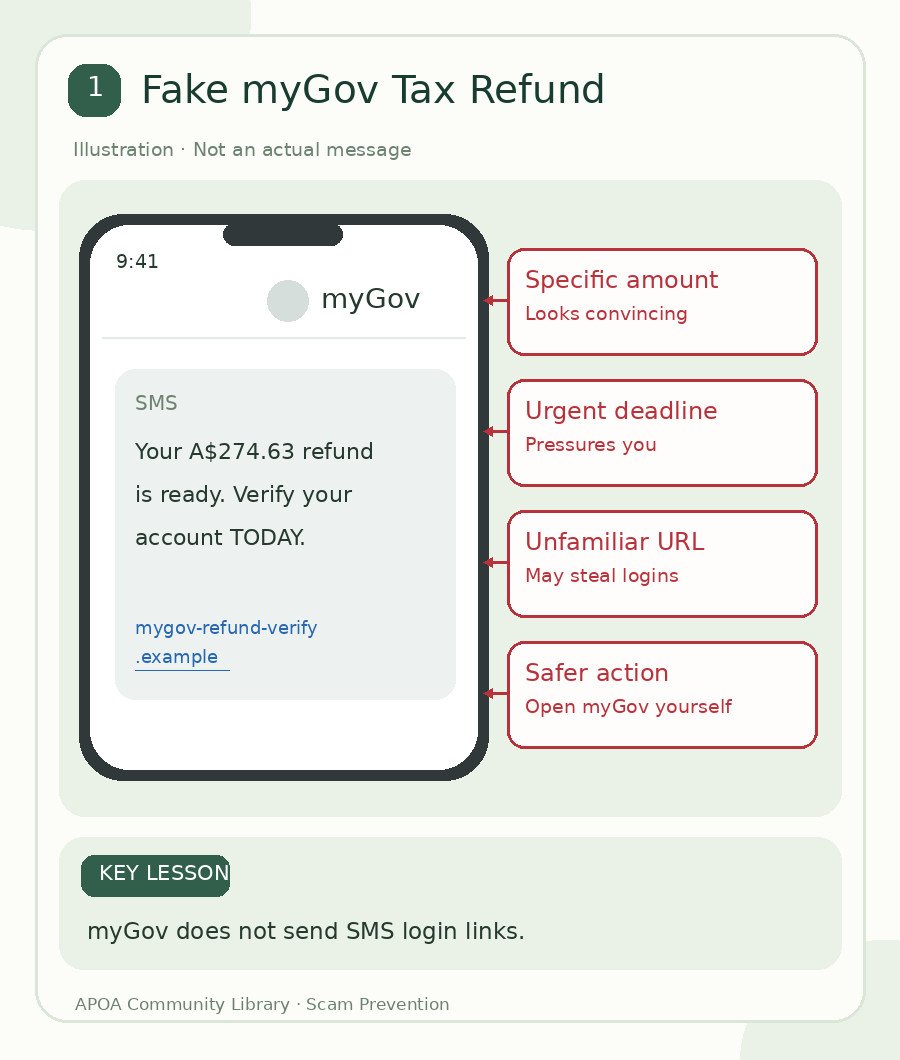
What the image shows: A message offers an exact refund of A$274.63, demands verification today and supplies an unfamiliar link. The precise sum and deadline are designed to feel credible. Safer response: open your own myGov app or type my.gov.au yourself. Never log in from an unsolicited SMS link.
2. Fake parcel redelivery: just A$2.99?
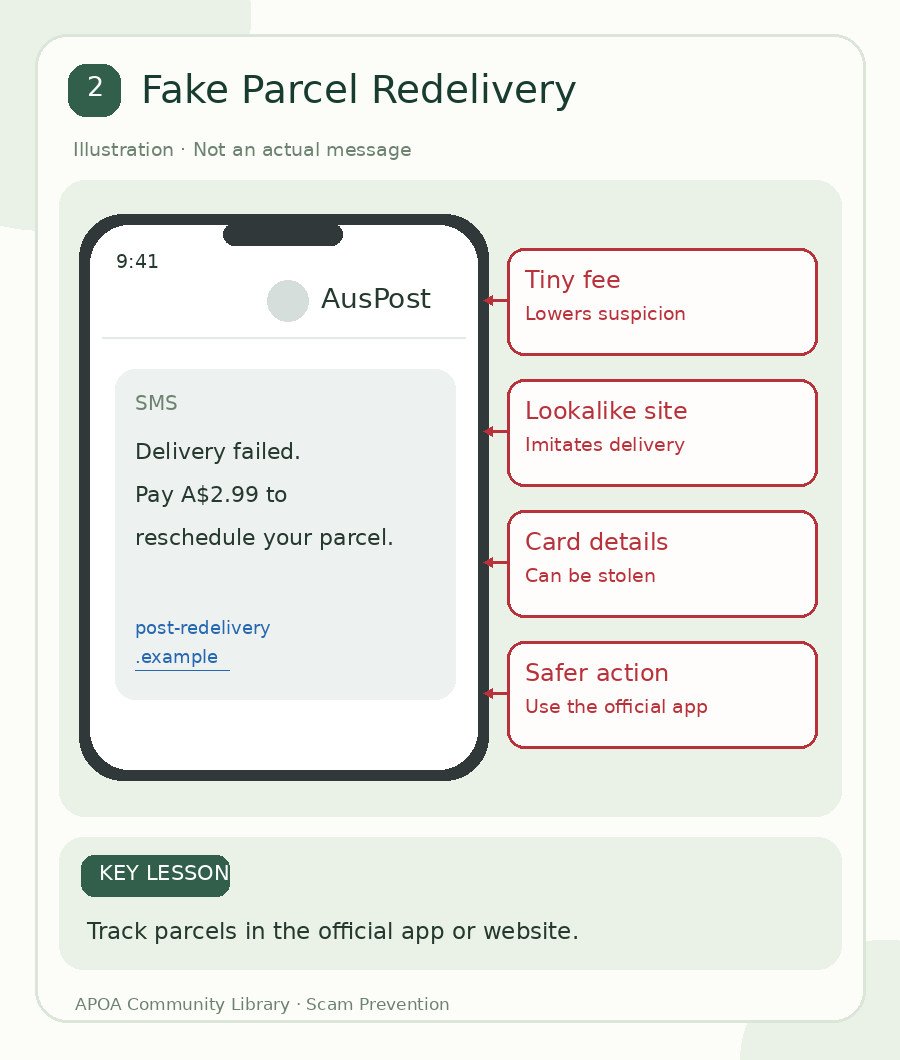
What the image shows: A text claims delivery failed and asks for a small A$2.99 redelivery fee through an unfamiliar website. A small charge can be bait for collecting your full card details. Safer response: check tracking in your retailer’s order or the courier’s official app or website.
3. Fake Linkt toll payment: 24 hours to pay?
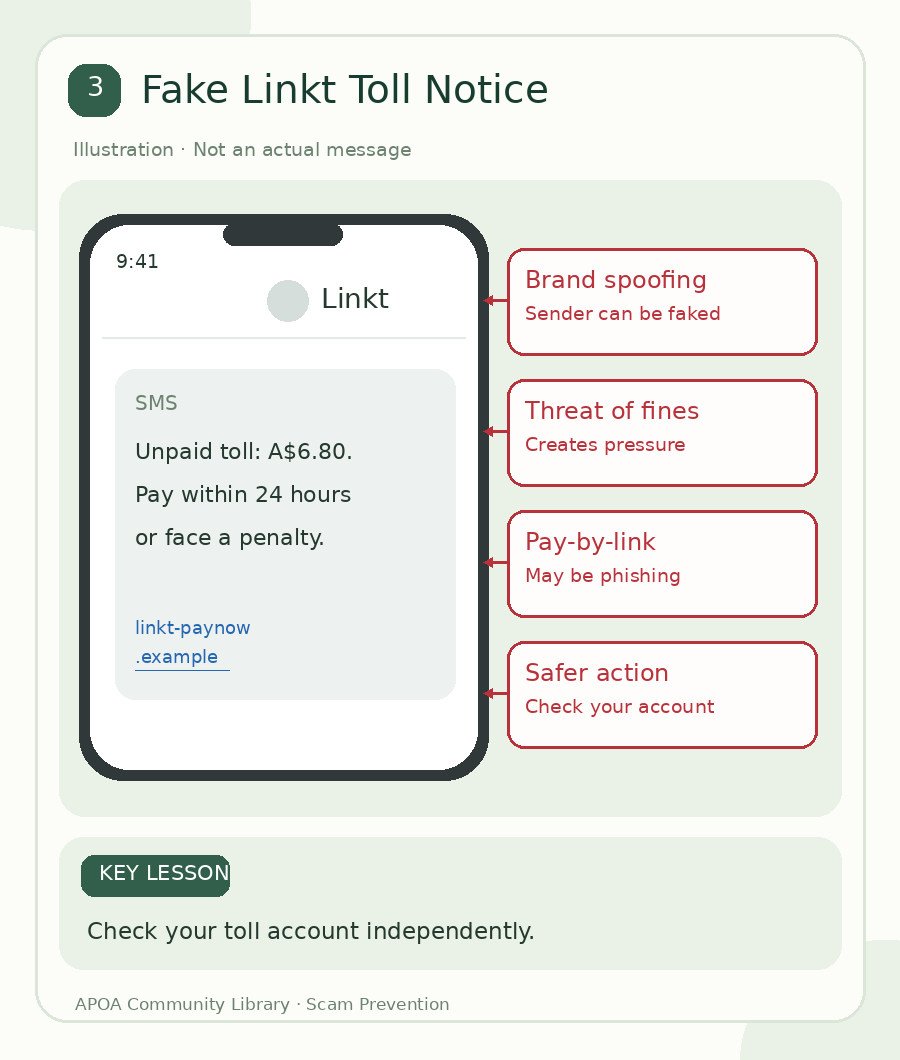
What the image shows: A supposed unpaid toll of A$6.80 comes with a 24-hour deadline and a threat of penalties. The payment link may lead to a fake site. Safer response: sign in to your toll provider’s official account and check the trips and balance—even if you recently used a toll road.
4. Fake bank security alert: urgent account access?
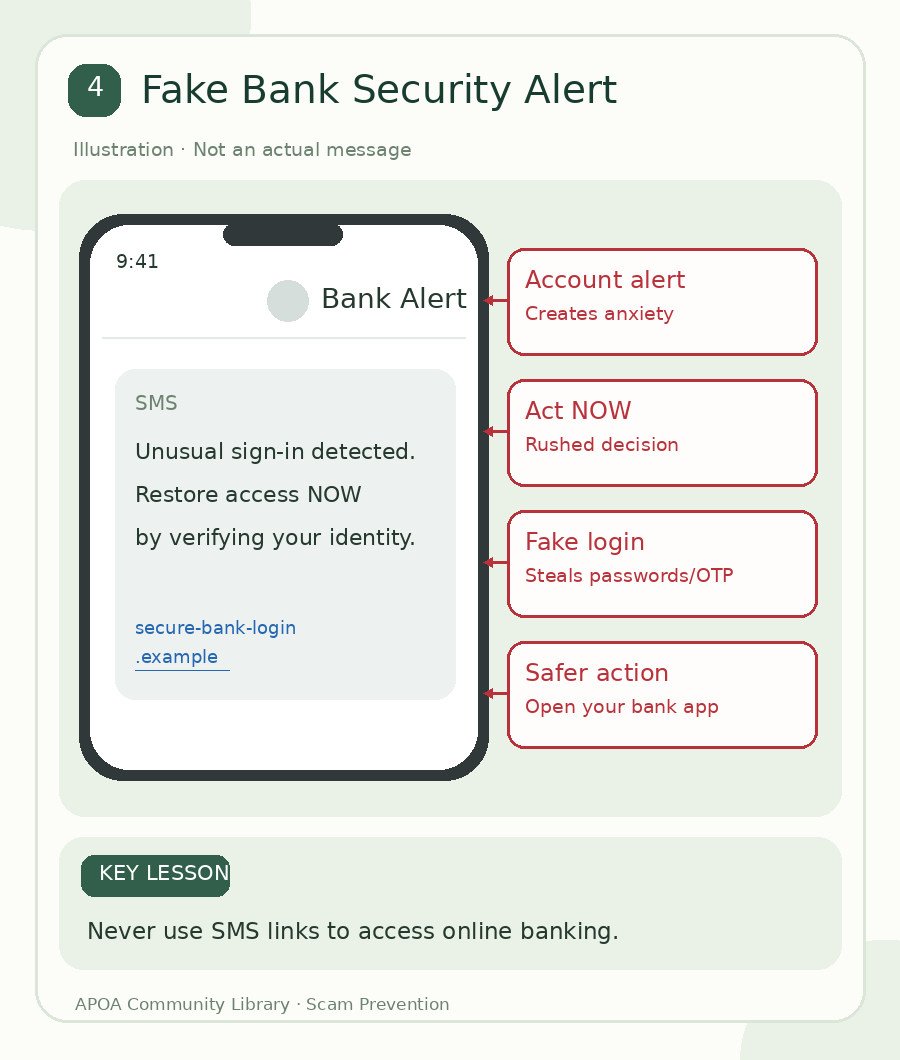
What the image shows: A warning about an unusual sign-in pushes you to restore access through a link. A fake login page may then request your password or a one-time code. Safer response: use your bank’s app or call the number printed on your card. Never share a one-time passcode.
Why a convincing-looking link isn’t proof
Fraudulent addresses can imitate a brand by changing a letter, number or dot. In emails and some rich-text messages, the visible link label may differ from the destination; websites can also redirect to a different page. A familiar sender name or a blue link is not identity verification. Leave the message and go to a channel you found independently.
Your 30-second scam check
- Sender: names and phone numbers can be impersonated.
- Pressure: does it threaten penalties, suspension or a very short deadline?
- Link: are you being pushed to an unfamiliar sign-in or payment website?
- Request: does it seek money, card details, passwords or a one-time code?
- Verify: use an official app, a manually entered website or a contact number you looked up yourself.
These are warning signs, not a formula that proves every message is a scam.
Clicked or shared information? What to do next
- Only opened a page? Stop, don’t enter information or install anything. Opening a link does not automatically mean your account has been compromised.
- Entered a password? Change it using the genuine app or website, review account activity, turn on multi-factor authentication and change reused passwords elsewhere.
- Shared payment details or transferred funds? Contact your bank immediately using an independently verified number; save transaction details and screenshots.
- Exposed identity information? Contact IDCARE on 1800 595 160. Report suspected scams to Scamwatch; report cybercrime through ReportCyber.
Bottom line: you can read a message or answer a call. But before logging in, paying or disclosing personal information, independently confirm who is asking.
Sources and further reading
- Scamwatch | Text or SMS scams
- ACMA | Toll-road impersonation SMS scams
- myGov | How to spot a myGov scam
- Australian Cyber Security Centre
- IDCARE | Identity and cyber support
- APOA Community Library | Chinese source article
APOA community education, not case-specific legal or financial advice. The opening paraphrases an anonymised chat; the four fictional JPEG illustrations use reserved .example addresses. Last editorial check: 13 November 2026.